
Three ways to get correct captions
- 1
Record with the teleprompter
Your script is the text. The app remembers when you read each line, so nothing needs recognising, and a slider corrects any offset.
- 2
Whisper for difficult audio
For imported videos, use Android's recognition or download a Whisper model once (57 or 182 MB) for more accuracy.
- 3
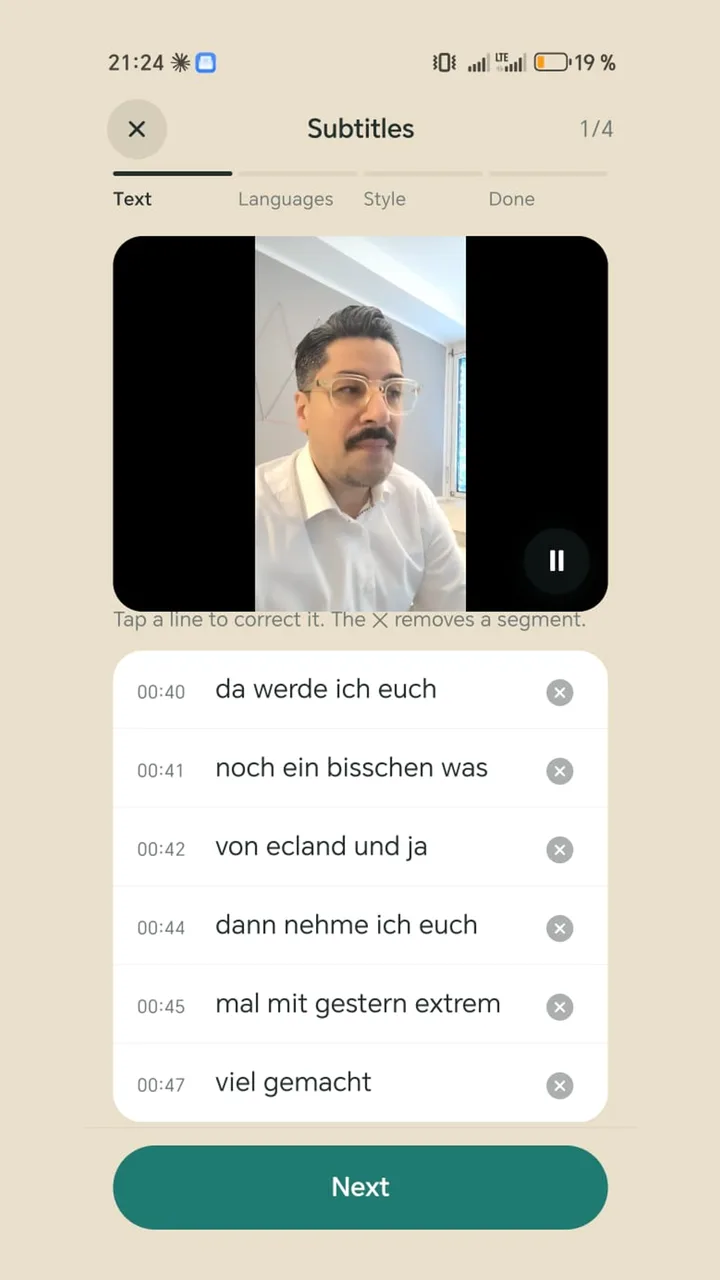
Check line by line
Each line is shown with its timestamp. Tap to correct it, or remove a section with the X.
Why auto captions get things wrong
- Music or background voices drown out the speaker.
- The microphone is too far away. A clip-on mic helps more than any software.
- No model reliably knows names, brands and jargon. Fix those by hand.
- The wrong language is set, or the language pack is missing on the phone.
Easy to read on a phone
The app splits text into short sections automatically: four words at most, preferably at the end of a sentence, so your face stays visible. Keywords are coloured, numbers first. With size and height you keep captions out of the areas where Reels and TikTok put their controls.