
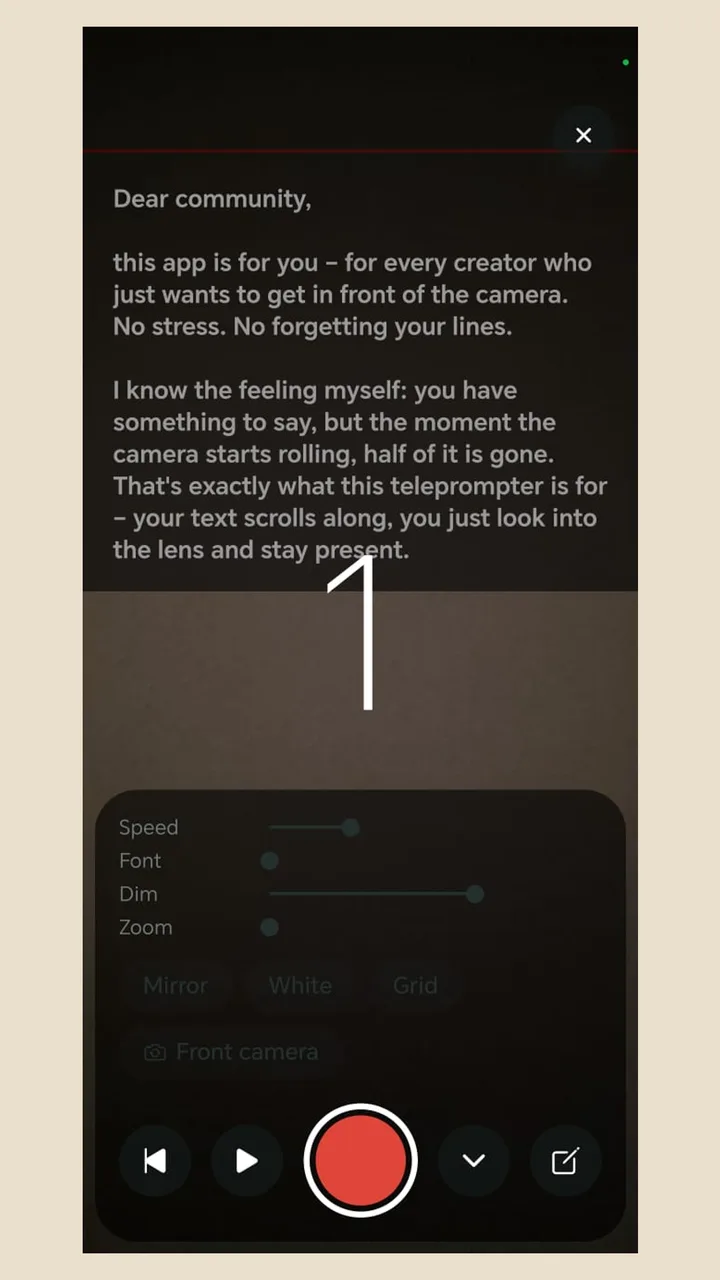
Four setups compared
- Teleprompter app with camera: the text scrolls over the camera view, so one device records and prompts. Quick to set up, eyes just below the lens.
- Beam-splitter teleprompter: the phone lies under angled glass in front of a camera and shows mirrored text. Perfect eye contact, but extra hardware.
- A second device: one phone or tablet shows the script while another device or a camera films. Big text, but your eyes sit beside the lens.
- Browser teleprompter: nothing to install, but it records through the web interface, which sounds tinny and compressed on many phones.
Set it up in six steps
- 1
Paste the script
Copy it from notes, email or a chat. Short lines, one thought per line.
- 2
Pick the camera
Front camera when you read the text yourself. Rear camera only with a beam-splitter rig, or if you don't need the text.
- 3
Mount the phone
Tripod or holder, lens at eye level, about an arm's length away.
- 4
Font and speed
Text large enough to read without effort, in a narrow column. Start with a slow speed.
- 5
Use the countdown
A countdown gives you a moment to settle and find the lens.
- 6
Do a test take
Record ten seconds and watch it. Eyes wandering? Move the text closer to the lens or step back.
The settings that actually matter
- Scroll speed: it should follow your speaking pace. Look for an app that lets you adjust it mid-take.
- Font size: bigger isn't always better. Big text means fewer words per line and more scrolling.
- Background dimming: darken the camera picture behind the text a little and the text gets easier to read.
- Text colour: a strong colour helps in daylight or against a bright background.
- Mirror mode: only needed for a beam-splitter rig with glass.
- Grid: helps you line up eye level and framing.
A test script for your setup
Use this to check speed and eye line before the real video: “This is a test. I'm talking at my normal pace. The text keeps up without me hunting for it. My eyes stay on the lens. When I slow down, it slows down too.” If the text runs ahead of you or lags behind, adjust the speed and record again.
Common mistakes
- Holding the phone: the picture shakes and the eye level is rarely right. A cheap tripod is enough.
- Phone too low: filming from below is unflattering and makes you look down.
- Text too far from the lens: a tablet next to the phone puts your eyes off to the side.
- Speed too high: you chase the text and sound stressed.
- Worrying the text will show: good teleprompter apps only show the text on screen, never in the video.
Teleprompter Cut as your phone teleprompter
Teleprompter Cut is a free Android app with no ads and no account. Your text scrolls over the camera view, and you set speed, font size, dimming and zoom right in the recording screen. There's a countdown, mirror mode, text colours and a grid, and you can pause and rewind mid-take. It records natively rather than through the browser, for full sound. And because the app knows when you read each line, you get captions afterwards with no transcription step.