
The style that works on TikTok
TikTok moves faster and talks more directly than most platforms. If you speak, speak like you would to a friend: short sentences, no warm-up, no corporate language. You don't need a lit studio. You need to be easy to understand, and every second has to add something.
Lots of talking TikToks look spontaneous but are planned. A script keeps you from rambling. To keep it from sounding read, write it in your own words and read it so your eyes stay on the lens.
Formats that are easy to talk through
- Myth vs. truth: “Everyone says X. It's wrong, and here's why.”
- Three mistakes: three short points, one sentence of reasoning each.
- Reply to a comment: read the question out and answer it in 30 seconds.
- Before and after: what you used to get wrong and what you do now.
- One term explained: a word from your field that your audience hears all the time and never gets.
How to make a TikTok, step by step
- 1
Write the hook first
Your first line decides everything. Write three versions and keep the one with the most tension.
- 2
Keep it short
Read the script aloud once. Any sentence you feel like skipping goes.
- 3
Record without stopping
Keep going when you trip. Repeat the sentence and carry on.
- 4
Cut hard
Short pauses out, slips out. A zoom on sentence starts hides the jumps.
- 5
Put text on screen
Captions plus a headline at the start, so the video works with the sound off.
Mistakes to avoid
- A long greeting: by the time you get to the point, the viewer is gone.
- Talking too slowly: a touch faster than everyday speech, but clear.
- Key info in the bottom right: that's where TikTok puts the like and comment buttons.
- Too many punch-ins: a zoom on each punchline works, a zoom on every sentence annoys.
- Ending without an ending: tell viewers what to do next, or ask a question for the comments.
How Teleprompter Cut helps
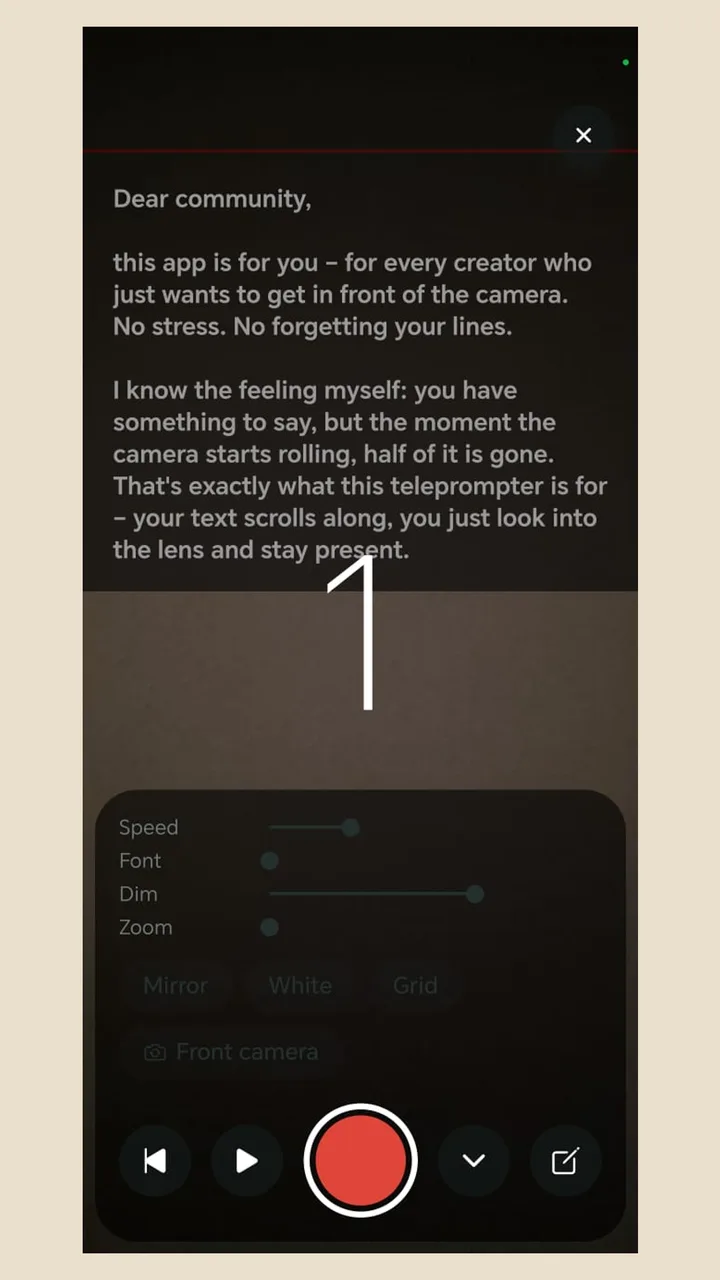
The teleprompter scrolls over the camera view; set speed and font size in the recording screen and adjust them mid-take. Afterwards the app cuts pauses longer than the length you choose and adds transitions at the cuts, such as a zoom punch or a crop change. The zoom step pushes in on sentence starts, with a hard punch for punchlines if you want it. For TikTok, cutting pauses at around 0.6 seconds is a good starting point.
Once rendered, share the video to TikTok through the share sheet. Free, no ads, no watermark.