
Where video helps in sales
- After a discovery call: a quick recap and the next step you agreed on.
- With a proposal: one minute on what's in it and what to look at first.
- After a long silence: a friendly nudge that doesn't sound like a reminder notice.
- Before a meeting: who you are, what will happen, how long it takes.
- For questions everyone asks: explained well once, sent again and again.
Script template: follow-up after a first call
“Hi Sarah, thanks for the call on Tuesday. Here's what I took away: you want to double your website enquiries by summer, and your team doesn't have the time to do it in-house. Attached are two ways we could solve that, with pricing and a timeline. My suggestion: let's take ten minutes on Thursday to decide which one fits better. I'll send you an invite right after this. Talk soon.”
Structure: name, thanks, a recap in the prospect's own words, what you're sending, one concrete next step. That's all it needs.
How to record sales videos fast
- 1
Templates, not blank pages
Keep three or four scripts and only swap the name, the reason and the next step for each prospect.
- 2
A fixed spot
One place with light from the front and a calm background, so every recording looks right without setup.
- 3
One take is enough
With the text over the camera you get through without stalling. A small slip even feels more personal than perfection.
- 4
Light editing
Long pauses out, captions on in case the prospect watches at their desk on mute.
- 5
Send it straight away
Through the share sheet to WhatsApp, or as a file from your gallery into your email.
Mistakes that turn a sales video into an ad
- Generic instead of personal: a video that could go to anyone feels like a newsletter.
- Too long: a follow-up should trigger the next step, not replay the whole call.
- No next step: every video ends with exactly one ask, not “let me know if you have questions”.
- Screen instead of face: the point of video is that the prospect sees you.
- A busy background: open-plan office, car or job site distract and look improvised.
Why Teleprompter Cut suits sales
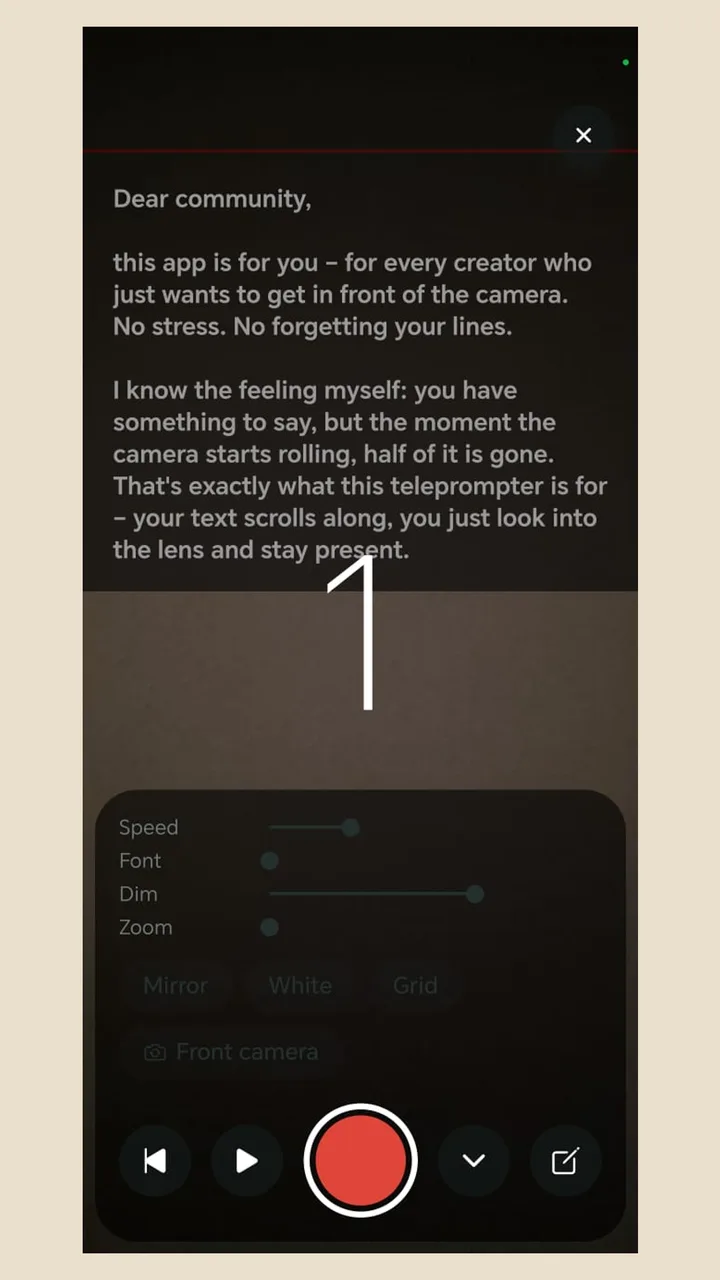
Paste your template, change the name and record while the text scrolls over the camera view. Native recording gives clear sound, and the audio step levels the volume. Set up your logo and an end card with your contact line once. Because recording and editing stay on the phone, no prospect video sits on someone else's server before you send it. The app is free, with no account and no watermark.