
What keeps people watching a reel
Nobody keeps watching out of politeness. The first seconds have to show what the reel is about and why it matters to the viewer. After that, every moment needs to move: no long pauses, no searching for the next sentence.
Instagram says it recommends reels to people who don't follow you yet when they are three minutes or shorter (Instagram Creators FAQ). Most tips and explainers need far less. Write as short as your point allows, not as long as the platform permits.
How to make a reel in five steps
- 1
One topic, one promise
A reel answers one question or solves one problem. Two topics in one clip weaken both.
- 2
Write the script
Open with the hook, add two to four short points, end with one action: save, follow, link in bio.
- 3
Film vertically
Phone upright, lens at eye level, face in the top third. A teleprompter lets you read the script over the camera view.
- 4
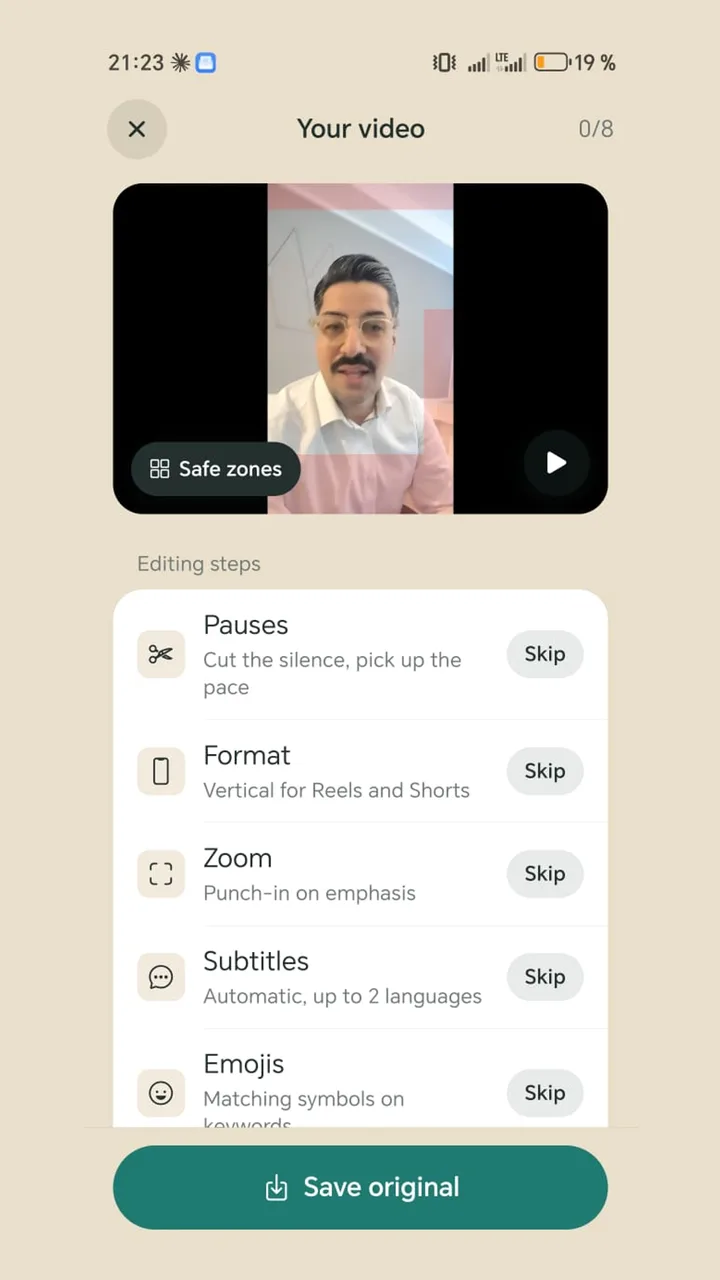
Cut the dead air
Pauses between sentences and slips cost attention. Remove them before you add captions.
- 5
Captions and a hook title
Captions in the middle of the frame, a short headline at the start. Post it with a caption that names the topic again.
Example: a 30-second tip reel
Hook: “You lose customers before they ever call you.” Point one: “Your phone number isn't at the top of your website.” Point two: “Your opening hours on Google are out of date.” Point three: “You reply to messages the next day.” Close: “Fix one of these today. Save this reel so you don't forget.”
Each sentence sits on its own line in the script. That gives you room to breathe while reading, and your captions get clean segments.
Mistakes that slow reels down
- Opening with “Hi, I'm …”: your name is not a reason for a stranger to stay. Introduce yourself at the end or in your bio.
- Posting landscape video: it looks small next to clips that fill the screen.
- Captions at the very bottom: that's where Instagram puts the caption text and buttons. The middle is safer.
- Restarting every sentence until it's perfect: talk it through and cut the slips afterwards.
- Too much text on screen: a hook title and captions are enough. A third text block makes the frame busy.
Doing it with Teleprompter Cut
Paste your script and record with the front or rear camera while the text scrolls over the picture. Then add only the steps you need: remove silence, vertical 9:16 with safe zones, captions from your script, a hook title at the start. Render once and share straight to Instagram, with a caption and hashtags ready to copy.
The app is free for Android, with no ads, no account and no watermark. Your video is edited on the phone and never uploaded.