
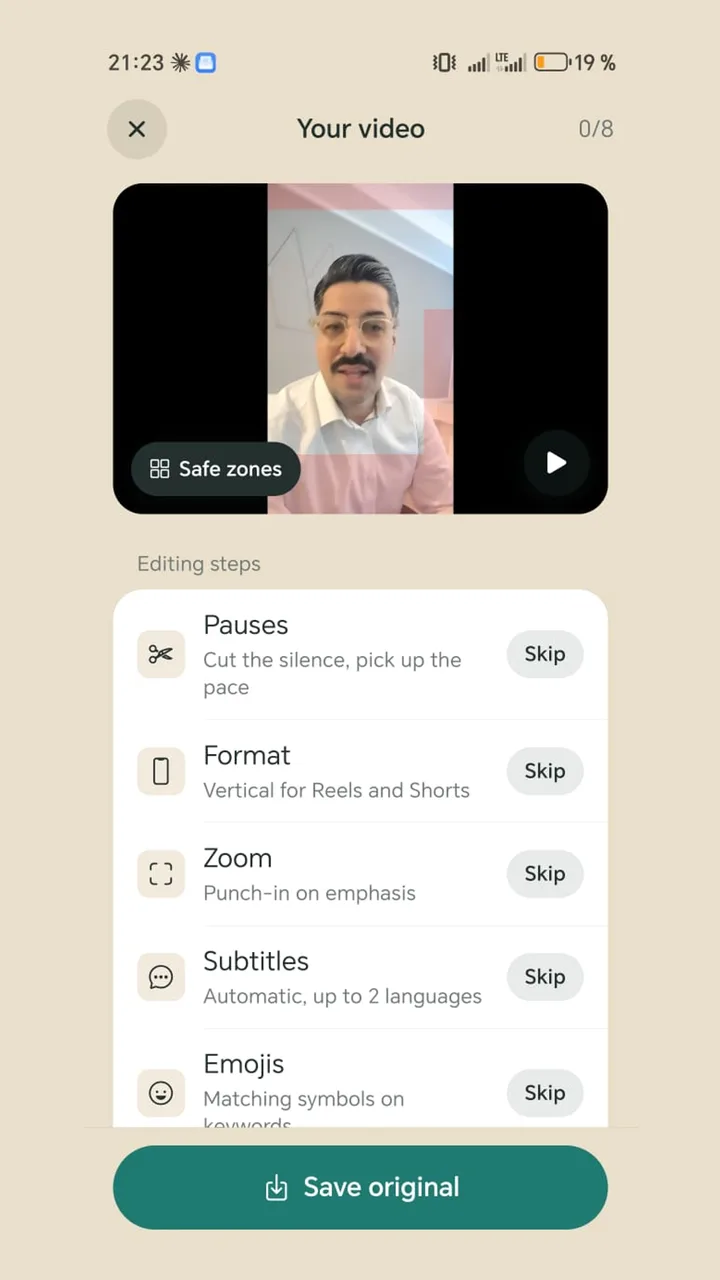
A teleprompter app with no subscription: nothing to sign up for or cancel

Billing trouble was the most common complaint when we read 139 bad reviews of teleprompter and video apps: charges after cancelling, trials that quietly become annual plans, and people who bought once being told to pay every year. Teleprompter Cut has no paid tier today, so none of that can happen.

Free · No ads · No account

Teleprompter Cut: No subscription
Teleprompter CutWhat reviews complain about
Free trialTeleprompter Cut ahead: There isn't one, because there is nothing to pay forCharged the moment the trial starts, or despite cancelling
Payment detailsTeleprompter Cut ahead: Never requested, the app has no checkoutCard or Play account required before the first video
Price changesTeleprompter Cut ahead: No price that could changeBought once, now asked to pay annually
CancellingTeleprompter Cut ahead: Not needed. Just delete the appCancel option hard to find or doesn't work

Complaints: our own review of 139 public 1- and 2-star ratings of six teleprompter, caption and editing apps on Google Play (English, US), as of 8 Nov 2026. A small sample, not statistics, and not a statement about any single app.

What is free in the app today

Everything it does: the teleprompter over the camera view, auto captions in seven styles, subtitles in two languages, removing pauses and filler words, zoom effects, 9:16 vertical, emojis, hook titles, logo and end card, and audio levelling.

There is no Basic tier and no Pro tier, and you won't hit a message at export saying that one effect costs extra.

How to spot a subscription trap before you install

  • The Play Store shows “In-app purchases” under the Install button. Check the price range.
  • The app shows a pricing screen with a tiny close icon before your first video.
  • “Try for free” is in big type and the price afterwards in small type.
  • The 1-star reviews keep mentioning “charged”, “refund” or “cancel”.

If you are already stuck in a subscription

  1. 1

    Open the Play Store

    Tap your profile picture at the top right, then “Payments & subscriptions” and “Subscriptions”.

  2. 2

    Pick the app and cancel

    Deleting an app does not end its subscription. It only ends when you cancel it there.

  3. 3

    If you were charged anyway

    Check your order history in the same menu and request a refund through Google Play Help.

What a subscription costs by comparison

For context: CapCut's EUR pricing page lists Pro at €23.99 a month or €199.99 a year (as of 6 Nov 2026). You also get far more there, such as music, effects and a multi-track timeline. If you mostly talk and caption, you rarely need that.

Questions

Does Teleprompter Cut really have no subscription?

Yes. Today the app has no subscription, no trial and no in-app purchases. Every feature is free to use.

Do I need to enter payment details?

No. The app never asks for them.

Is there a free teleprompter app with no trial?

Yes, Teleprompter Cut for Android. Install it and start recording, with no trial period and no account.

Does deleting an app cancel its subscription?

No, not for any app. You cancel subscriptions in the Play Store under “Payments & subscriptions”.

Is there an iPhone version?

No, Teleprompter Cut is currently Android only.

2,000+

downloads · Without a single euro of advertising

Get it on Google Play

Free today: no ads, no subscription, no watermark.