
An Opus Clip alternative: Teleprompter Cut compared

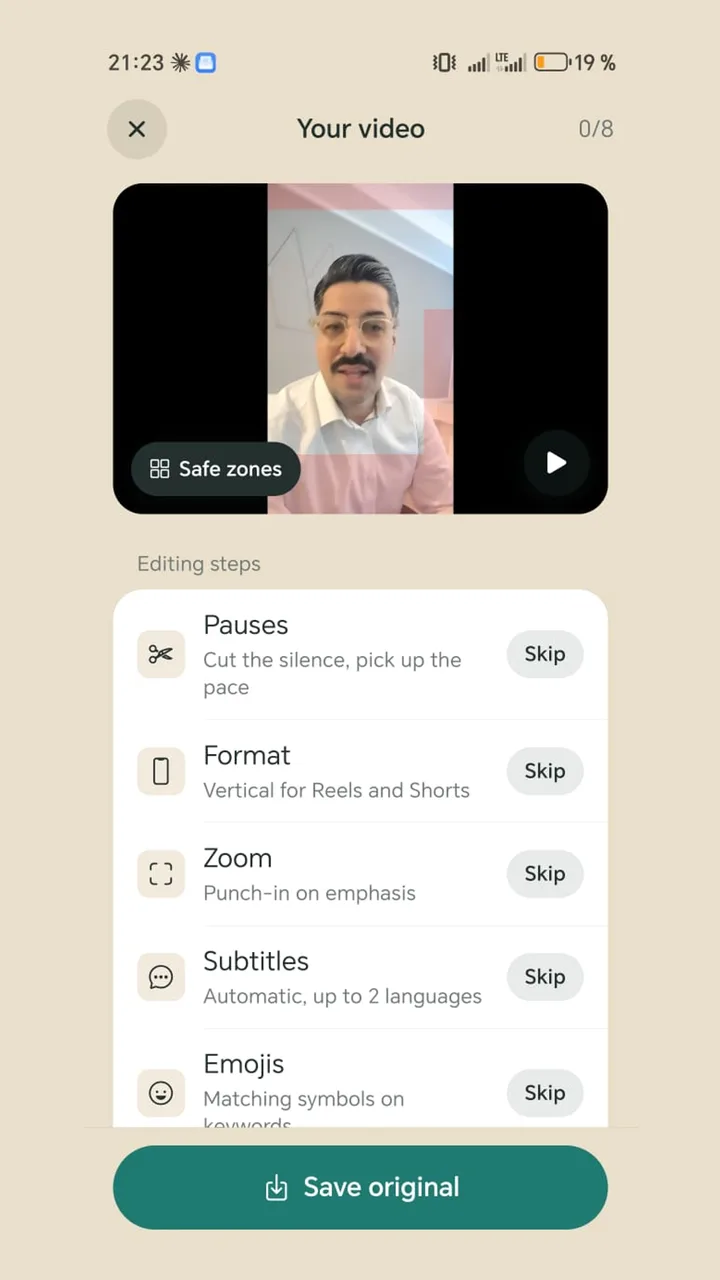
Opus Clip specialises in splitting long videos into short clips and scoring them with a virality score. Teleprompter Cut is made for short talking videos that you record right on your phone: with a teleprompter, no upload, no watermark and no subscription.

Free · No ads · No account

Teleprompter Cut: Opus Clip alternative
Teleprompter CutOpus Clip
PriceTeleprompter Cut ahead: FreeFree plan with 60 credits a month (1 credit = 1 minute of source video); Starter $15, Pro $29 a month or $174 a year
WatermarkTeleprompter Cut ahead: NoneYes on the free plan and during the trial
Account and uploadTeleprompter Cut ahead: Not needed, the video stays on the deviceAccount and upload required; per its help centre, individual users' data may be used anonymised for AI training
TeleprompterTeleprompter Cut ahead: YesNo
Android appTeleprompter Cut ahead: Yes, with every stepYes, since June 2026, without an editor per its help centre
Captions, emojis, hook titleYesYes, on the free plan too
Filler word removalYes, with Whisper, in several languagesFrom Starter; detection English-only per a help article
Vertical 9:16Yes (centred crop)Opus Clip ahead: Yes, automatic reframe
Clips from long videos with virality scoreNoOpus Clip ahead: Yes, its core feature
Music, sound effects, eye contact, B-roll, schedulerNoOpus Clip ahead: Yes, mostly from Pro

Details on other apps are taken from the makers' websites, help centres and Play Store listings, as of 6 Nov 2026. Prices may differ by country and platform. We did not test the other apps ourselves.

When Teleprompter Cut fits

  • You record short talking videos on your phone rather than splitting long ones.
  • You speak from a script and need a teleprompter for it.
  • Your video shouldn't leave your phone before you share it yourself.
  • You want to work without watermarks or credits.

What Opus Clip does better

Opus finds the best moments in long videos such as podcasts or webinars, cuts them into clips and scores them for virality. From Pro you also get music, automatic sound effects, eye-contact correction, noise reduction, AI B-roll, a social scheduler and export to Premiere or DaVinci.

Works well together

If you have long formats, use Opus for those. For the daily short video with one clear message, Teleprompter Cut is faster: paste the text, record, pick your steps, share.

Questions

Does Opus Clip have a teleprompter?

No. Opus's own blog even recommends separate teleprompter apps for that.

Is Opus Clip free?

There's a free plan with 60 credits a month; exports carry a watermark there. Paid plans start at $15 a month (as of 6 Nov 2026).

Can Teleprompter Cut split long videos into clips?

No. Teleprompter Cut finishes single short videos; there's no automatic clip finder.

2,000+

downloads · Without a single euro of advertising

Get it on Google Play

Free today: no ads, no subscription, no watermark.