
When Teleprompter Cut is the better pick
- You talk to the camera and need a teleprompter that runs while you record.
- You want pauses, captions, zoom and 9:16 in a few taps instead of on a timeline.
- You don't want a subscription or features behind a paywall.
- You don't want to create an account, and your video shouldn't be uploaded for captions.
What CapCut does better
CapCut is by far the bigger editor. If you want music under your video, effects and transitions, clips layered on several tracks, or to keep working on an iPhone or a computer, CapCut is the better home. It also has noise reduction, which Teleprompter Cut does not.
Plenty of people use both: Teleprompter Cut for the take and the quick talking-head cut, CapCut for elaborate edits with music.
How the workflow differs
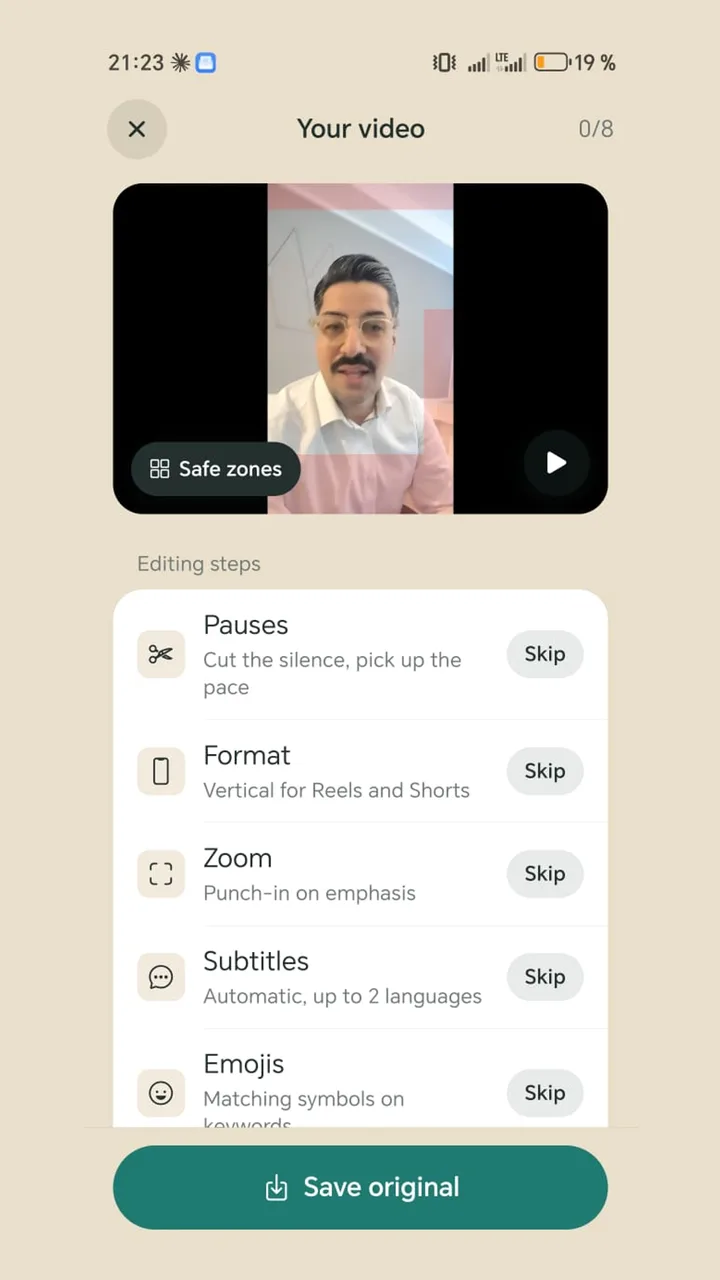
In a timeline editor you cut by hand, add captions and adjust the format. Teleprompter Cut works with a step list: pauses, format, zoom, subtitles, emojis, hook title, brand, sound. Each step is a tick with a few settings, and the video is rendered once at the end.
If you record with the teleprompter, the app already knows the text and when you read each line, so nothing needs recognising for the captions.
Cost at a glance
Teleprompter Cut costs nothing and has no paid tier. CapCut has a free version and Pro, which its EUR pricing page lists at €23.99 a month or €199.99 a year (as of 6 Nov 2026). Some features such as auto reframe are Pro-only according to CapCut's help centre.